
On June 7, Peter Steinberger tweeted: “Here’s your monthly reminder that you shouldn’t be prompting coding agents anymore. You should be designing loops that prompt your agents.” Eight million views. Around the same time, Boris Cherny, the creator of Claude Code, said on Acquired Unplugged: “I don’t prompt Claude anymore. I have loops running. They’re the ones prompting Claude and figuring out what to do. My job is to write loops.”
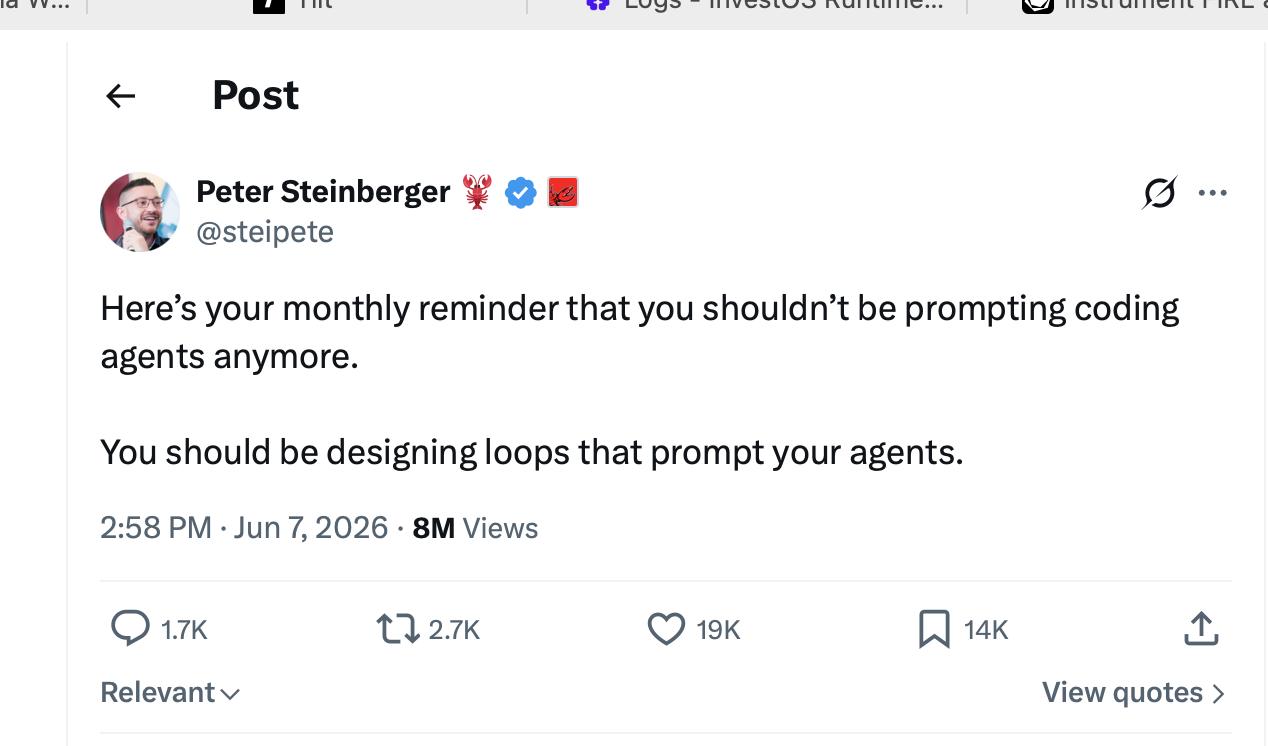
And then everyone lost their minds, because two of the most-watched people in this space said “write loops” and neither showed a loop.
I’ve been running loops for months, almost entirely as Codex app automations. This post is the concrete version: six loops, what each one does, and the actual configs, skills, and CI workflow behind them in a public snapshot repo: camwest/agent-skills. Every loop I run automates a feedback step I was already doing manually, and keeps me at the triage gate. Full autonomy isn’t the point.
Three things people mean by “loop”
Part of the uproar is that “loop” is at least three different things. There’s the autonomous task loop, “keep going until the work is done”: Geoffrey Huntley’s Ralph in its purest form (while :; do cat PROMPT.md | claude-code ; done), and its productized descendant, the /goal command that Codex and now Claude Code both ship. There’s the scheduled or event-driven loop, work that runs without you in the chair: the granddaddy is HEARTBEAT.md in OpenClaw, Steinberger’s own framework, a checklist the agent reconsiders every 30 minutes; its descendants are Codex automations and Claude Code routines. And there’s orchestration fan-out, dynamic workflows in Claude Code: MapReduce with agents, closer to the actor model than to any loop.
My read: Steinberger and Cherny are talking about the second kind, wired into the first. The loops below are scheduled and event-driven on the outside, and several of them run experiment-style inner loops once they wake up.
The gateway drug: babysitting PRs
I already had AI code review on every PR. Claude reviewing first, then Codex’s built-in review, and finally a custom GitHub Action because I wanted control over what it saw: the Action pulls in the full GitHub conversation context plus the patch and asks what the issues are.
So my actual workflow was: submit a PR from Claude Code or Codex, wait for the review to come back, then copy-paste the review text into the agent. Sometimes screenshots. One day I got annoyed enough to ask, “can’t you just use the gh client and read the review status yourself?” That worked, so the next iteration was obvious: “can’t you just keep checking and tell me when it’s done?” It’s a GitHub Action. It can be watched.
That request turned the review into a loop, and the loop is now a skill in our repo: graphite-pr-babysit. Submit a PR, say “babysit this,” and the agent watches the review run and CI, fixes what’s fixable, and comes back when it’s clean or stuck.
The profile of this loop generalizes: it watches for a state change in an external system, wakes on it, pulls in new context, analyzes, and does a job. The job ends at a triage decision we’ve been tuning as a team: accept the feedback, push back on it, or escalate to a human. Once I saw that shape, I started seeing places to apply it everywhere. The harnesses see it too: the Codex team ships a babysit-pr skill in their own repo, and Claude Code’s scheduled-tasks docs name babysitting a PR as a headline use case for /loop.
Inner loops: make the agent run the experiment
I wrote in March about pointing autoresearch at a slow Python path: 49 experiments in an hour, p95 from 339ms to 34ms, $24. That post was about Karpathy’s autoresearch concept and pi-autoresearch; the loop was “try an idea, measure it, keep what works, discard what doesn’t.”
The same shape now runs against a harder target: the behavior of the agent we ship in our product. When something goes wrong, a weird trace in Braintrust, user feedback in Slack, or I hit it myself, I kick off a worktree, paste in the trace, and invoke investos-runtime-test-loop. The skill forces a discipline that the model’s naive intuition fights against. Left alone, a model will hardcode “never do X, Y, Z” into the system prompt and overfit to the one trace you showed it. The skill’s references distill the research on why that fails, and the loop contract requires a hypothesis and a matrix: the original failing case, an adjacent positive that should take the same path, and a counterexample that should take a different one. Three or four probes run concurrently against local dev, reconstituting the exact user context from the trace. Each run gets scored on tool calls, latency, input-token delta, and output tokens.
Then we iterate toward the minimal prompt change. It’s a hand-wavy version of gradient descent. Not a perfect science, because I’m not going to spend thousands of dollars per prompt tweak, but it resolves most prompt issues without the overfit, and it ends with a real decision: add the case to the eval suite, or hotfix and move on.
The video loop came from the same annoyance that started the PR babysitter. Headless loops were great for prompt changes, but I also do a lot of UI work with complex client-side state, and letting the agent drive a browser headlessly meant it drove the browser wrong and I never saw it. For a while I was literally recording QuickTime videos and narrating them to the model: at second four the element disappears, at second five it reappears, fix that. At some point I said it out loud: why am I doing your QA for you? Go do it yourself.
Cursor’s cloud agents record a video of the fix, and I stole that idea into a skill: demo-video. The agent builds the feature, writes a Playwright script that walks the real authenticated flow (this took real infrastructure: auth bootstrapping, MailSac API keys so Playwright can fetch login codes), records the run, then watches its own video before declaring victory. Frame extraction at sub-second intervals for animation jank, every few seconds for slower flows, assembled into a contact sheet it analyzes and feeds into the next iteration. Exactly what I was doing by hand with QuickTime.
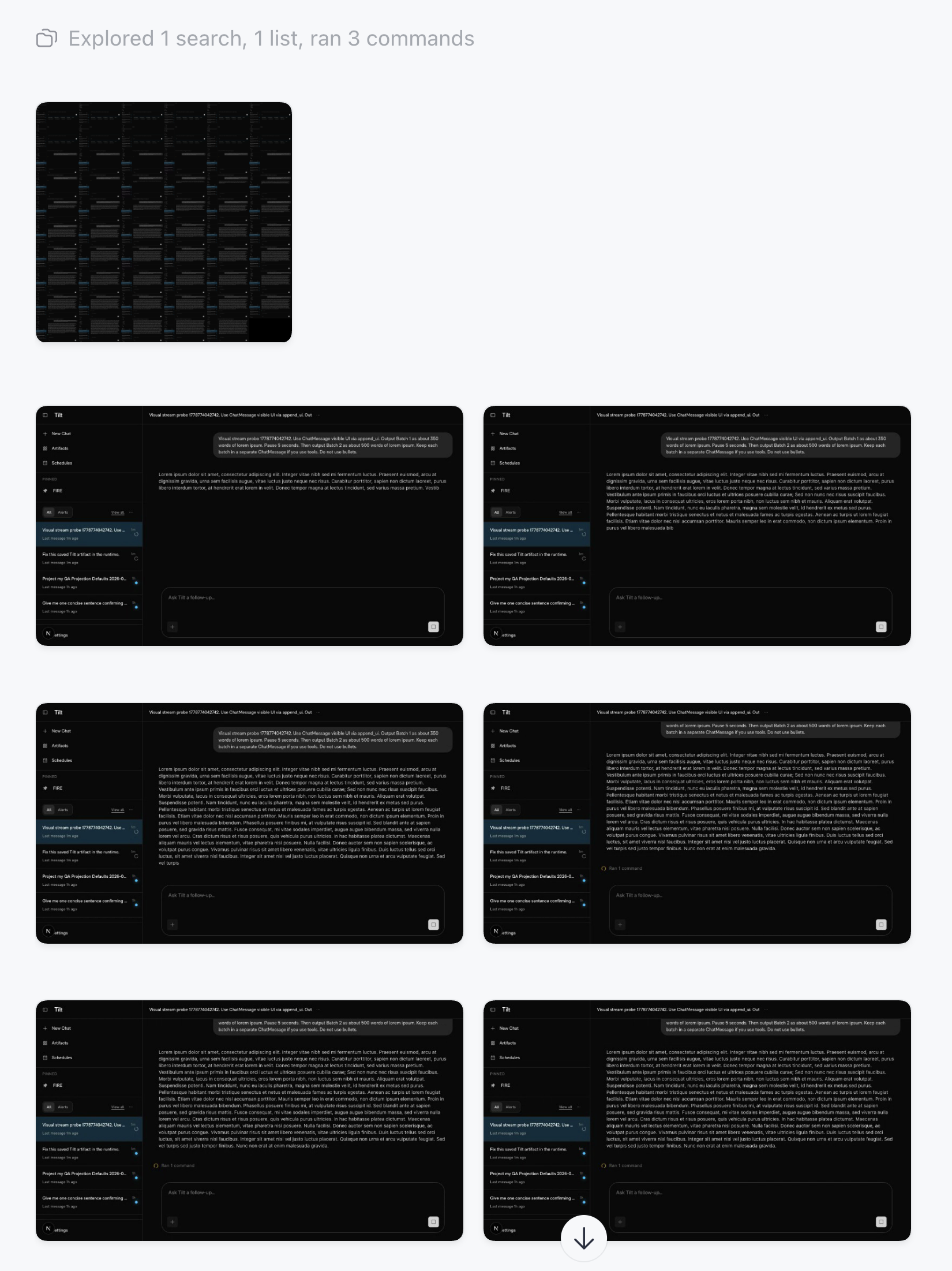 A real run: Codex extracts a contact sheet from its Playwright recording, then steps through individual frames to validate that streamed chat output renders without jank. The test prompt pumps batches of lorem ipsum through the UI with a 5-second pause between them.
The side effect is the best QA experience I’ve had: the job ends with a video link, subtitled, the agent walking me through what it delivered. I watch a narrated demo instead of scrubbing for jank. Feedback goes back into the loop. It’s slow and it burns tokens, and it’s worth it.
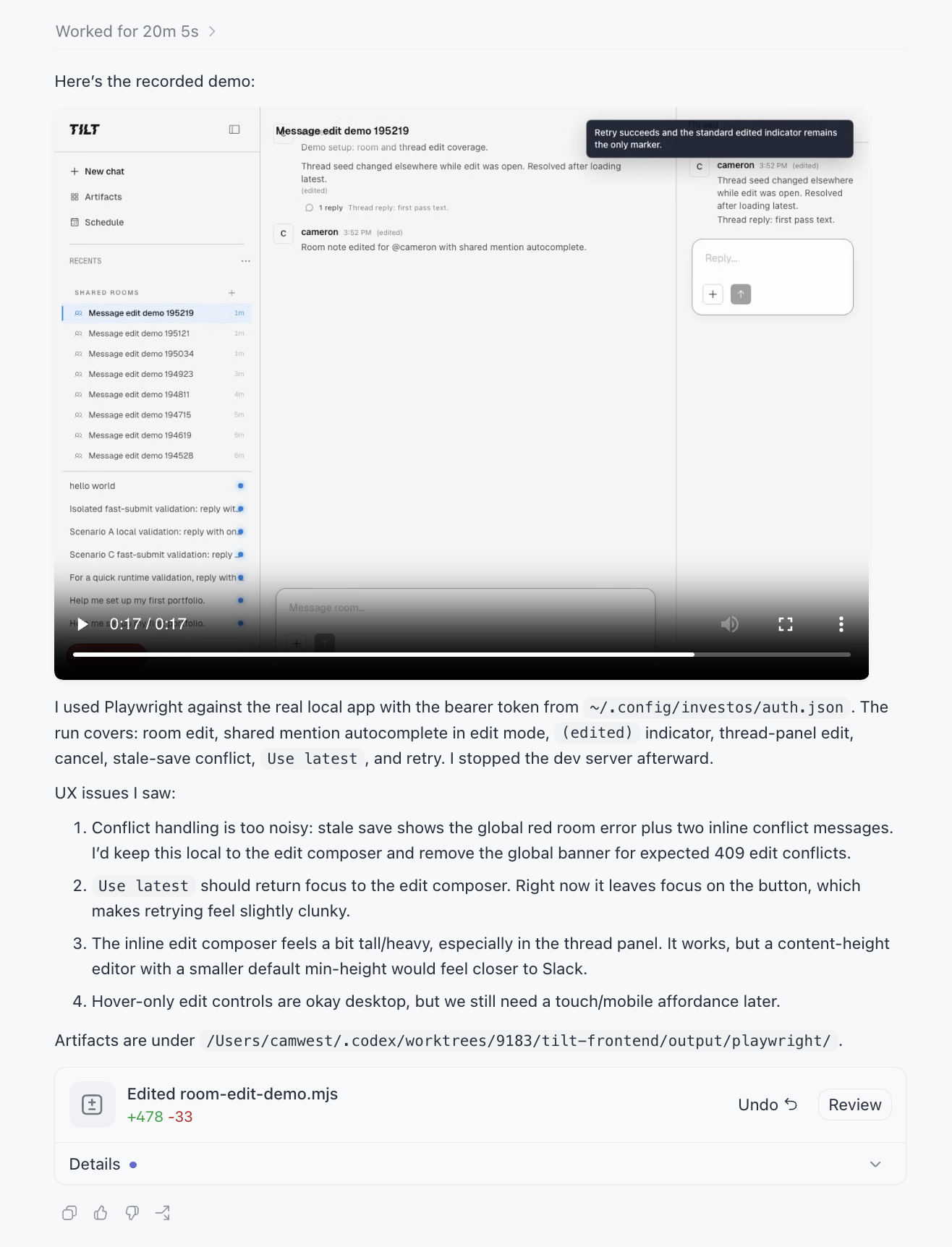 The deliverable. Twenty minutes of agent time ends with the recorded demo embedded in the thread and a list of UX issues it saw while watching its own video, before I did. I no longer have to start up the dev server, wait, and manually exercise the flow while taking notes. Huge reduction.
Outer loops: Codex automations that watch backlogs
Zooming out from PR babysitting, the question became: what other backlogs can I put a watcher on? Almost all of mine run as Codex app automations, which I picked over the alternatives for two features: worktree isolation per run, and thread automations, heartbeats that keep returning to the same long-lived conversation. Eleven are live right now.
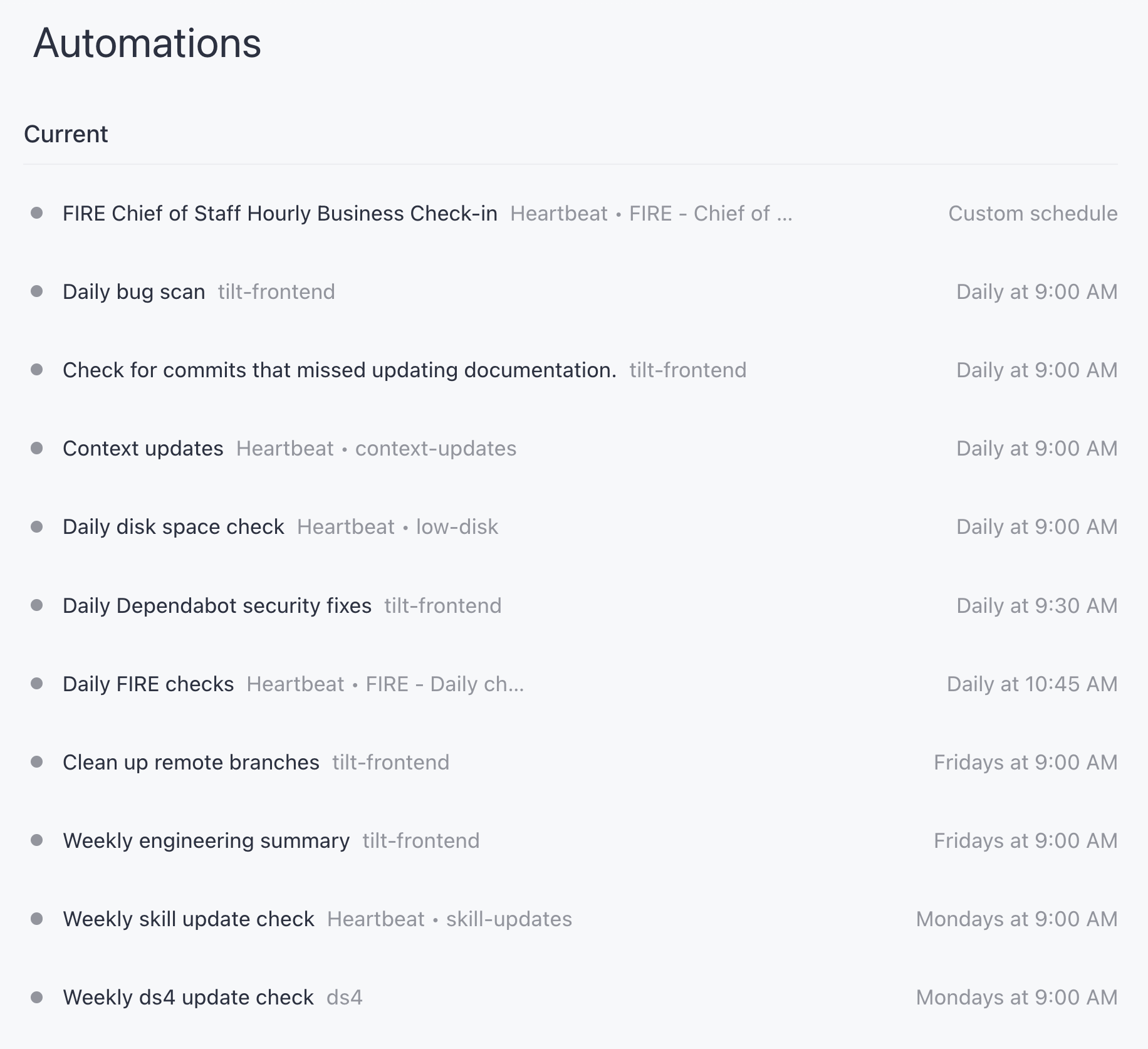
Three carry most of the weight. The chief of staff is a heartbeat automation on an hourly cadence during business hours, pinned to one persistent thread that owns the Linear project for the launch I’m driving. Its charter: keep the project state current, make sure concurrent work is sequenced, and push me every hour with opportunities to start or advance work, based on Linear, Slack, and GitHub. The 9am run produces a full plan with a priority cut; the hourly runs are delta-only. The prompt encodes the triage gate explicitly: it drafts Slack messages but is forbidden from posting them, and it recommends new threads but doesn’t start them. This thread freed me from holding “what’s next” in my head, and it worked well enough that I spun up similar threads for other projects.
The daily compliance readout exists because I’m putting a product into research preview and three eval workflows post to Slack every morning: synthetic onboarding evals, guardrail evals, and online scoring of real user traces. The daily-fire-checks automation runs after all three land, and it’s read-only by charter: it checks the GitHub Actions runs, root-causes anything surprising down to trace level, and ends every run with an “Opportunities” section proposing zero or more new worktree sessions, each with a narrow objective and the files to start from. The outer loop’s job is to hand context and an objective to inner loops, then wait for me.
The daily bug scan watches the other backlog: code that already merged. The automation uses clawpatch (I’ve contributed a few patches) to map the last 24 hours of commits to the product features they touch, rank the ten most important, and scan those for bugs. Strictly advisory: never clawpatch fix, never commit, never push. It files findings; starting the fix is my call. The automation also keeps a memory file between runs, and reading it is oddly compelling, a cron job accumulating lessons about its own failure modes.
None of these loops one-shot anything into production. The chief of staff proposes; I refine the plan before execution starts. The compliance readout proposes sessions; I open them. The bug scan files issues; I decide. The loops removed the watching, the context-pulling, and the first-pass analysis, the parts of my job that were already mechanical. The judgment stays with me, because that’s the part I don’t trust them with yet.
What doesn’t loop
Some work gets worse when you loop on it. Strategy is my clearest example. I wrote in The Alignment Illusion about how AI volume turns strategy docs into 25-page surfaces for misreading; looping an agent on “improve the strategy” compounds exactly that failure. Iteration helps when there’s a measurable end state, a latency number, a green CI run, a video without jank. Strategy has no test suite. If your takeaway from the loops discourse is “loop on everything,” the incoherence is going to be spectacular.
The other open question is cost. I’ve been transparent about my token bill: this is a token-maxing strategy, not a token-optimal one. I’m trading token spend for free brain space, and today that trade is clearly worth it for me. Whether it stays worth it depends on which future shows up: state-of-the-art models that are ten times smarter and ten times more expensive running every loop, or one big brain dispatching progressively smaller agents to do the watching and probing. There’s already evidence for the second: Claude Code’s dynamic workflows let the orchestrating model route stages to smaller models. If that’s where it lands, the loops get cheap and this whole post becomes table stakes.
Steinberger and Cherny are right about the direction. I just think the useful version of the advice is smaller than it sounds: find the feedback step you’re doing manually, the review you’re copy-pasting, the video you’re scrubbing, the backlog you’re re-reading every morning, and wire it shut. Channel the annoyance. “Why am I doing your QA for you” found me many of these loops. I hope it finds more.
Process note: Drafted from my own voice notes about loops I run in production, with AI used for research (tracking down the original tweet and interview), transcription cleanup, and line edits. The configs and skills linked are real, sanitized snapshots from my repos. Claims and links verified by me; mistakes are mine.